Founding price, first 50 buyers

Build one course you own. Sell it with reels nobody has to see your face in.

Vaultwright is a written course that lives in a folder. You open it in Obsidian, write your own product with Claude, and sell it from a six second reel and one automatic DM.

  • Ten ready blueprints, so you never start from an empty page
  • Every lesson written out, nothing to sit through
  • A tracker that tells you which number to fix this week

One payment. Lifetime access. Instant download.

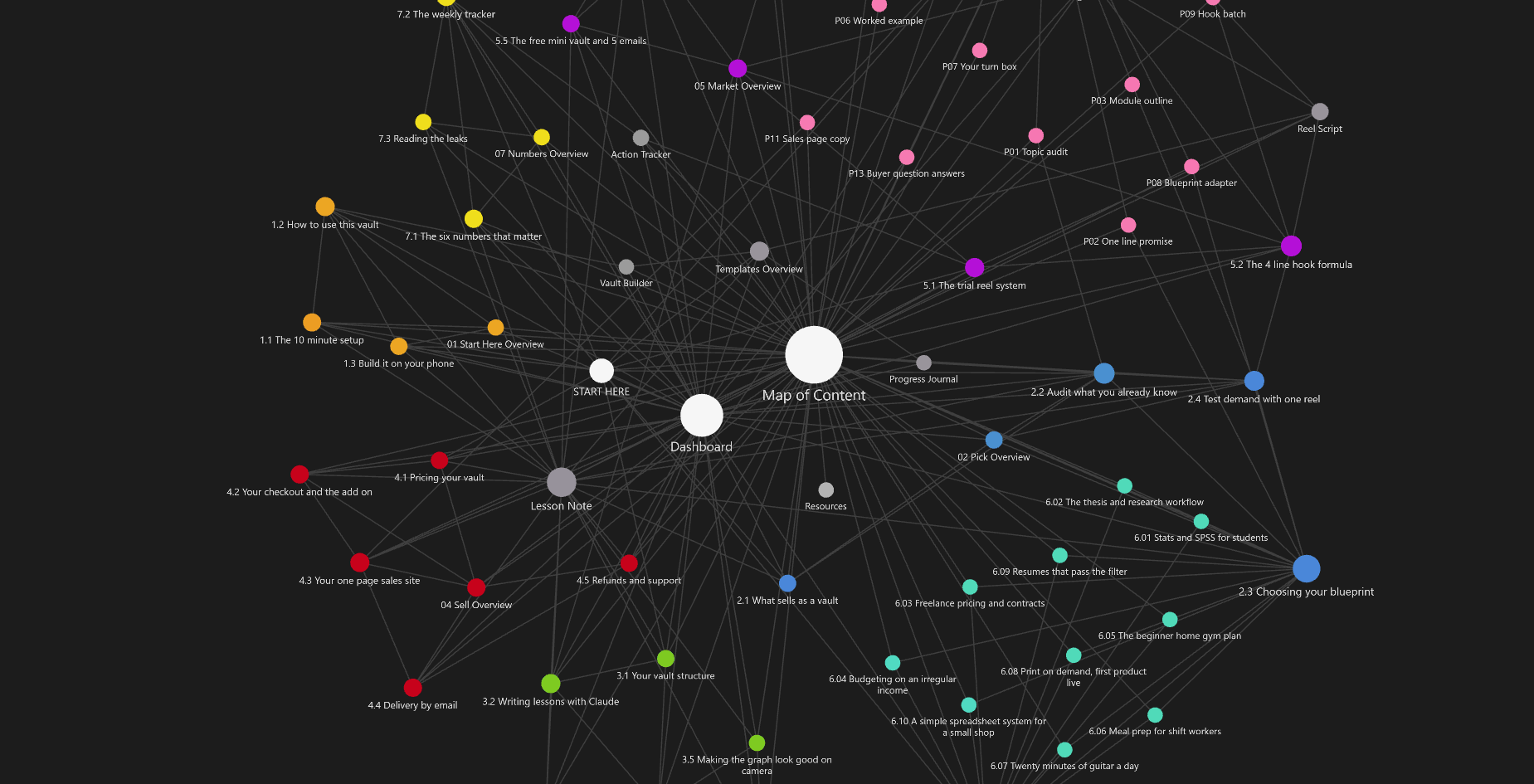
The Vaultwright vault open in Obsidian graph view, 66 linked notes coloured by module

Every dot is a lesson, a prompt or a template you get.

What is inside

Seven modules, ten blueprints, thirteen prompts, five templates

Read in order. Every lesson ends with one action, and you do it before moving on.

1. Start here
Setup in ten minutes, how to read the vault, and how to do all of this from a phone.
3 lessons
2. Pick
What sells as a written product, an audit of what you already know, and a demand test before you write anything.
4 lessons
3. Build
Structure, writing lessons with Claude, templates and links, the dashboard, and making the graph look good on camera.
5 lessons
4. Sell
Pricing, a checkout that works wherever you live, the one page site, delivery, refunds and support.
5 lessons
5. Market
The trial reel system, the four line hook formula, filming in ten minutes, the keyword DM flow, and a five email sequence.
5 lessons
6. Blueprints
Ten ready vault plans. Each one has a buyer, a full outline and the first three lessons already drafted.
10 plans
7. Numbers
The six numbers worth tracking, a weekly table, and how to tell which step of the funnel is leaking.
3 lessons
13 PROMPTS

Written, not described

Copy, paste, change two lines. From the topic audit to the sales page copy.

5 TEMPLATES

Lesson, reel, tracker, journal, builder

So you are never starting a note from nothing.

PHONE GUIDE

No laptop today

What you can genuinely do from a phone, and the two jobs that still need a computer.

How it works

Six steps, and only two of them are work

STEP 1

Pick the topic

Use the audit, or take one of the ten blueprints and make it yours.

STEP 2

Write it with Claude

Outline first, then one lesson at a time. The prompts do the heavy lifting.

STEP 3

Make the graph

Thirty linked notes, one colour per module. This is the thing you film.

STEP 4

Set up the checkout

One payment link, an optional add on, and a page that answers five questions.

STEP 5

Film once, post all week

Six clips in ten minutes. Same footage, a different hook on each post.

STEP 6

Let the DM sell

Someone comments your keyword, the DM sends the link. You are asleep.

The only arithmetic on this page
20 sales at $37 is $740. 1 sale a day at $37 is $1,110 in a month.

That is multiplication, not a promise. I am not going to show you a number I cannot prove. What I will show you is my own numbers as they happen, every week, including the bad ones.

Pricing

One payment. No subscription.

The first 50 buyers pay the founding price and keep every update.

Core plus support
$97

Limited places each month

  • Everything in the core vault
  • My sales page template, ready to edit
  • The delivery setup, done the way mine is
  • My DM flow, exported so you can import it
  • Two group calls a month for 60 days
  • Your page and your first reels reviewed once
Email me about support

At checkout: 110 hooks and 30 reel scripts, plus a caption bank

Tick it at checkout if you want the writing done for you.

+$17
Questions

Before you buy

Is this videos?
No, all of it is written, and that is the point. You can read a lesson in four minutes, copy a prompt straight out of it, and get back to building. Nothing to sit through and nothing to scrub back and forth.
What is Obsidian, and do I have to pay for it?
A free app that opens a folder of notes. You download it, point it at the folder you get from me, and the whole course is there. Nothing to install beyond that, and no account needed.
Do I need a laptop?
It is easier with one. Obsidian has phone apps and most of the writing works there, so there is a guide in module 1 for exactly what you can do from a phone and the two jobs that really want a computer.
Do I need to show my face or talk?
No. The reels are a phone pointed at your own screen, with text typed in the Instagram editor. No voice, no face, no editing app.
I have no idea what to teach.
That is what the ten blueprints are for. Each one names the buyer, lays out the modules, and has the first three lessons written. You change the examples to yours.
Do I need a Claude subscription?
You can start on the free tier. If you are writing a full module in one sitting, a paid plan stops you hitting limits halfway through a draft.
How much will this make me?
I do not know, and anyone who tells you a figure is guessing. What I can tell you is the price, the arithmetic, and my own results as they come in. If you want guarantees, this is not that.
What is your refund policy?
Email me within 14 days, tell me it was not for you, and I will refund it. You do not have to explain yourself and I will not argue.
How do I get it after I pay?
An email with a download link, within a minute. If it has not arrived, check spam, then email me and I will send it by hand.
The folder is the product.

Pick a blueprint tonight, draft the first lesson with Claude, and film your graph tomorrow.